
Using this chart with Cricut Design Space
In Cricut Design Space, set the artwork width first instead of dragging by eye. Choose the target width from the chart, select the design, and type that width into the size field while the lock stays on so the height scales with the artwork. For HTV, mirror the design before cutting and check that the carrier sheet still fits your mat and heat press. Before cutting expensive vinyl, print or cut a paper test at the same width, place it on the shirt, and compare the top edge, side clearance, and visual balance. If the paper looks too tall, reduce height by editing the artwork or choosing a wider ratio rather than simply making the whole design smaller. For 2XL through 5XL shirts, do not scale the design only because the shirt is larger. The chart keeps large designs within practical press and transfer limits, then asks you to measure the actual blank before production.
How to use the Shirt Decal Size Chart and Calculator
- Choose the unit first so every shirt decal size chart and calculator result is shown consistently in inches or centimeters.
- Select the main setup fields, including unit, garment, size, and enter actual blank measurements whenever you have them.
- Review the result and next-step note before cutting, ordering, printing, or pressing.
- Copy the result into order notes, print the guide for the workbench, or download the text result for the job folder.
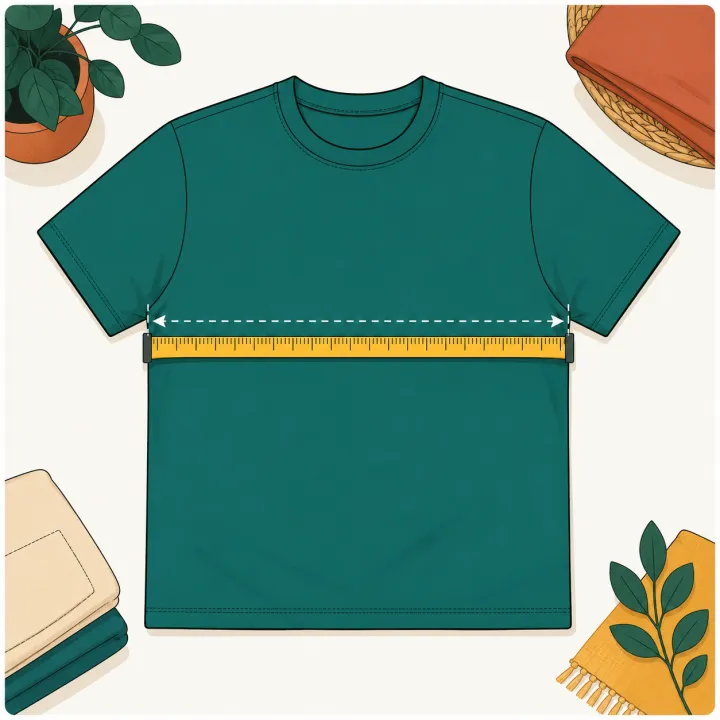
- Measure the actual garment or blank before production and run one test press when the blank is new.
Real-world examples
Shirt Decal Size Chart and Calculator worked example
Inputs
- Unit: inches
- Garment: Adult T-shirt
- Size: Adult M
- Placement: center front
- Design aspect ratio: 1.25
Result
Recommended decal is about 9.60 in wide by 7.68 in high, using the Adult M preset when no custom chest width is entered.
Production check
Measure the real shirt width, confirm the design is not too close to the collar, and reduce size for very soft or narrow blanks.
Adult medium center-front shirt
Inputs
- Unit: inches
- Garment: Adult T-shirt
- Size: Adult M
- Placement: center front
- Design ratio: 1.25
Result
Use a starting decal around 9.5-10 in wide. A 10 in wide by 8 in tall design is usually a reasonable planning size before checking the actual shirt width.
Production check
Measure the blank flat. If the shirt is narrow or very soft, reduce the design before cutting HTV or ordering a transfer.
Youth shirt with a tall design
Inputs
- Unit: inches
- Garment: Youth T-shirt
- Size: Youth M
- Placement: center front
- Design ratio: 0.75
Result
Start near 7-8 in wide, then check height because tall artwork can crowd the collar and hem faster than a wide logo.
Production check
For youth blanks, reduce height first when the design feels crowded.
Units and parameters
Keep units consistent from design setup through pressing notes. When the tool provides a preset, use it as a planning value and replace it with the actual garment or blank measurement when possible.
| Input or rule | What it changes |
|---|---|
| Unit | Choose the option that matches the job. Starting value: in. Options include Inches, Centimeters. |
| Garment | Choose the option that matches the job. Starting value: adult-tee. Options include Adult T-shirt, Youth T-shirt, Toddler shirt, Hoodie / sweatshirt. |
| Size | Choose the option that matches the job. Starting value: adult-m. Options include Adult XS, Adult S, Adult M, Adult L. |
| Placement | Choose the option that matches the job. Starting value: center-front. Options include Center front, Left chest, Pocket logo, Sleeve. |
| Actual chest width | Enter a measurement or quantity. Optional. Leave blank to use the size preset. |
| Design aspect ratio | Enter a measurement or quantity. Starting value: 1.25. Width divided by height. Use 1 for a square logo. |
| Formula | Recommended width = usable garment width x placement factor. Recommended height = width / design aspect ratio. Use the factor as a starting point, then measure the actual garment. |
| Production check | Actual garment measurements should override the size preset. |
Rule and assumptions
Recommended width = usable garment width x placement factor. Recommended height = width / design aspect ratio. Use the factor as a starting point, then measure the actual garment.
- Actual garment measurements should override the size preset.
- Preset widths are starting points for planning, not universal production specs.
- If actual chest width is blank, the calculator uses a standard size preset.
Use this tool for
- Sizing a center-front shirt decal before cutting HTV or vinyl.
- Checking adult, youth, and toddler shirt decal size ranges.
- Converting a static Cricut shirt decal chart into a copyable result.
- Choosing a safer starting size for left chest, sleeve, or back designs.
Worked example
Inputs
- Unit: inches
- Garment: Adult T-shirt
- Size: Adult M
- Placement: center front
- Design aspect ratio: 1.25
Result
Recommended decal is about 9.60 in wide by 7.68 in high, using the Adult M preset when no custom chest width is entered.
When to use this
Use this when you have the artwork ratio but need a practical front decal size before cutting or ordering the transfer.
What to check before pressing
Measure the real shirt width, confirm the design is not too close to the collar, and reduce size for very soft or narrow blanks.
Quick reference chart
| Use case | Starting point | Check before pressing |
|---|---|---|
| Adult center front | 9 to 11 in wide | Keep below collar and inside side seams |
| Youth center front | 7 to 9 in wide | Scale down before pressing |
| Left chest | 3 to 4 in wide | Check pocket and seam position |
| Sleeve | 2 to 3.5 in wide | Avoid cuffs and heavy seam ridges |
Common mistakes
- Using an adult center-front width on a youth shirt.
- Ignoring design aspect ratio when converting a square logo to a wide graphic.
- Pressing too close to a collar, pocket seam, or sleeve cuff.
FAQ
What size should a shirt decal be?
Adult center-front decals usually start around 9-11 inches wide. Youth shirts often work better around 7-9 inches, toddler shirts around 5-6.5 inches, and left chest logos around 3-4 inches wide.
Should I size by shirt size or actual width?
Use the chart as a starting point, but actual garment width is more reliable than the size label. Two adult medium shirts can have different usable print areas.
Can I print or download the shirt decal chart?
Yes. Use the print or download buttons above the calculator to keep a local chart beside the cutter or heat press.
What size decal for a 2XL or 3XL shirt?
For 2XL shirts, start around 11-12 inches wide for a center-front design and 12-13 inches wide for a full back design. For 3XL shirts, start around 11.5-12.5 inches wide for center front and 12.5-13.5 inches for full back. Measure the actual shirt before production.
Why shouldn't I scale the decal up linearly for plus sizes?
A larger size label does not mean the printable area grows at the same rate. Side seams, body cut, customer preference, heat platen size, gang sheet width, and comfort all limit how large a design should become.
What size should I make a shirt design in Cricut Design Space?
Choose the target width from the chart, type that width into Cricut Design Space, keep proportions locked, and mirror HTV before cutting. Use a paper test on the actual shirt before cutting production vinyl.